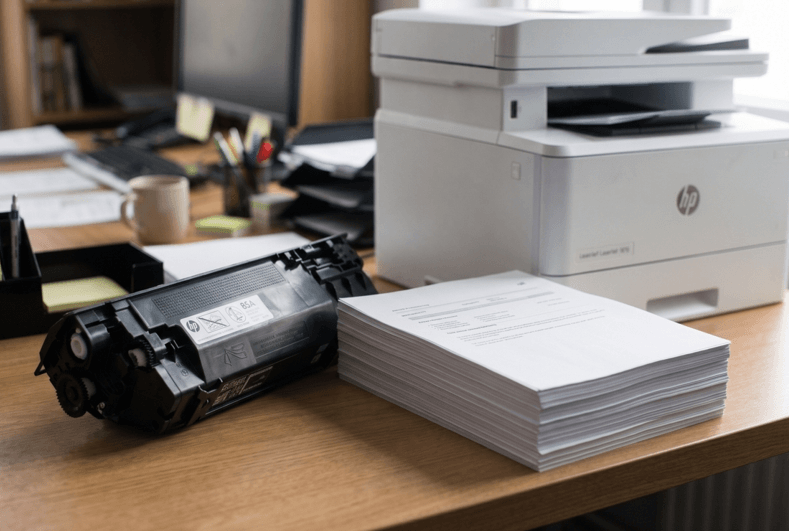
You install a new toner cartridge. A few weeks later, the “low toner” message appears. Or maybe your colleague’s cartridge lasted twice as long as yours. What’s going on?
It’s a fair question. Toner doesn’t last a fixed number of days. It lasts a number of pages. And that number depends on a few things you can actually control. Let’s break it down in plain words.
What Is Page Yield?
Page yield is the number of pages a cartridge can print before the toner runs out. You’ll find it on the box or the product page. Manufacturers usually test it at about 5% page coverage. That means a page that’s only lightly covered with text.
Here’s the catch. Real pages often have more on them. So your actual number may be lower than the number on the box. That doesn’t mean something is wrong. It just means your pages are busier than the test page.
Why Yields Differ Between Cartridges
Look at the same toner number with different letters, like 05A and 05X. The X version is high yield. It holds more toner and prints more pages. It costs more upfront. But each page usually costs less.
If you print a lot, high yield often saves money. If you print rarely, the standard size is fine. Toner that sits unused for months isn’t a bargain.
What Changes How Long Toner Lasts?
Several things affect your real-world numbers.
- Page coverage. Photos, charts and bold headings use far more toner than plain text.
- Print settings. Draft or economy mode uses less toner. High quality uses more.
- Print habits. Lots of short jobs can use more toner than a few long ones, because the printer runs a warm-up and cleaning routine each time.
- Cartridge quality. A poor cartridge may hold less powder than the box claims.
- Storage. Heat and humidity can damage toner before you even use it.
- Printer condition. A worn drum or dirty parts can waste toner or cause faded prints.
Most of these are easy to improve.
How to Estimate Your Own Yield
You don’t have to guess. Here’s a simple way to find your real number.
- Write down the date you install a new cartridge.
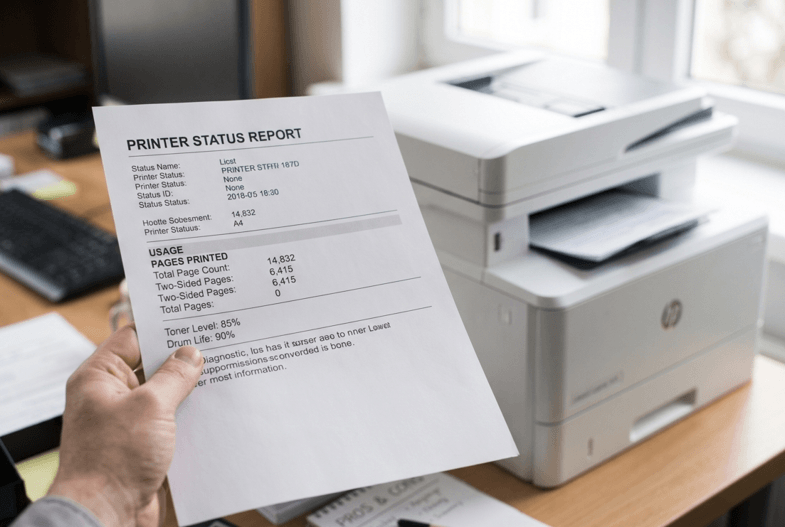
- Note the page count from your printer’s status or configuration page.
- When the cartridge runs out, note the page count again.
- Subtract. That’s your real yield.
Do this twice and you’ll know what to expect. It also helps you decide when to order a spare.
When Does a Cartridge Need Replacing?
Don’t wait for the printer to stop completely. Watch for these signs:
- The “Toner Low” message appears
- Text looks pale or washed out
- White streaks run down the page
- Prints look uneven
When you see the first warning, order a spare. You can usually keep printing for a while. But it’s smart to have a replacement ready. When you do order, pick the right HP laser toner cartridges for your exact model. Check the toner number in the manual or on your old cartridge. Close isn’t good enough.
The “Rock the Cartridge” Trick
When a cartridge is nearly empty, toner can settle unevenly. Take it out and rock it gently from side to side. This spreads the powder and can squeeze out a few more pages. Do it over a sheet of paper in case of spills. It’s a short-term fix, not a cure. But it helps when you’re waiting for a delivery.
8 Ways to Make Toner Last Longer
- Use draft or economy mode for internal documents.
- Print in black and white when colour isn’t needed.
- Preview before printing, so you don’t waste pages on mistakes.
- Delete blank or extra pages from files.
- Use fewer images and heavy backgrounds.
- Store spare cartridges sealed, in a cool, dry place.
- Keep the printer clean and dust-free.
- Use decent paper to reduce wear and dust.
None of these takes much effort. Together they add up.
When It Isn’t the Toner
Sometimes toner seems to vanish too fast. You change the cartridge, and it’s gone in weeks. Or prints stay faded even with a new one. That can point to a problem inside the printer, such as a worn drum, a leaking part or a faulty sensor. Replacing cartridges won’t fix any of those. A trusted HP LaserJet repair in Dubai service can test the machine and tell you whether it’s the toner or the printer. That can save you a lot of money over time.
Mistakes to Avoid
- Judging a cartridge by days instead of pages
- Ignoring the difference between standard and high yield
- Buying the cheapest cartridge without checking quality
- Storing spare toner in a hot room
- Ordering the wrong model number
- Waiting until the toner is completely empty
When Should You Get Extra Help?
Ask a technician if:
- Cartridges run out far faster than before
- Prints stay faded after a new cartridge
- Lines or marks repeat down the page
- You hear grinding or clicking
- The printer shows errors that won’t clear
Please don’t open the printer yourself. The fuser inside gets very hot, and small parts break easily.

Final Thoughts
Toner life isn’t a mystery. It’s pages, not days. Check the yield on the box, remember that real pages use more toner than test pages, and track your own numbers. Choose the right size for how much you print. Use a few simple habits, and every cartridge will go further. If toner keeps disappearing too fast, look at the printer, not just the cartridge.
